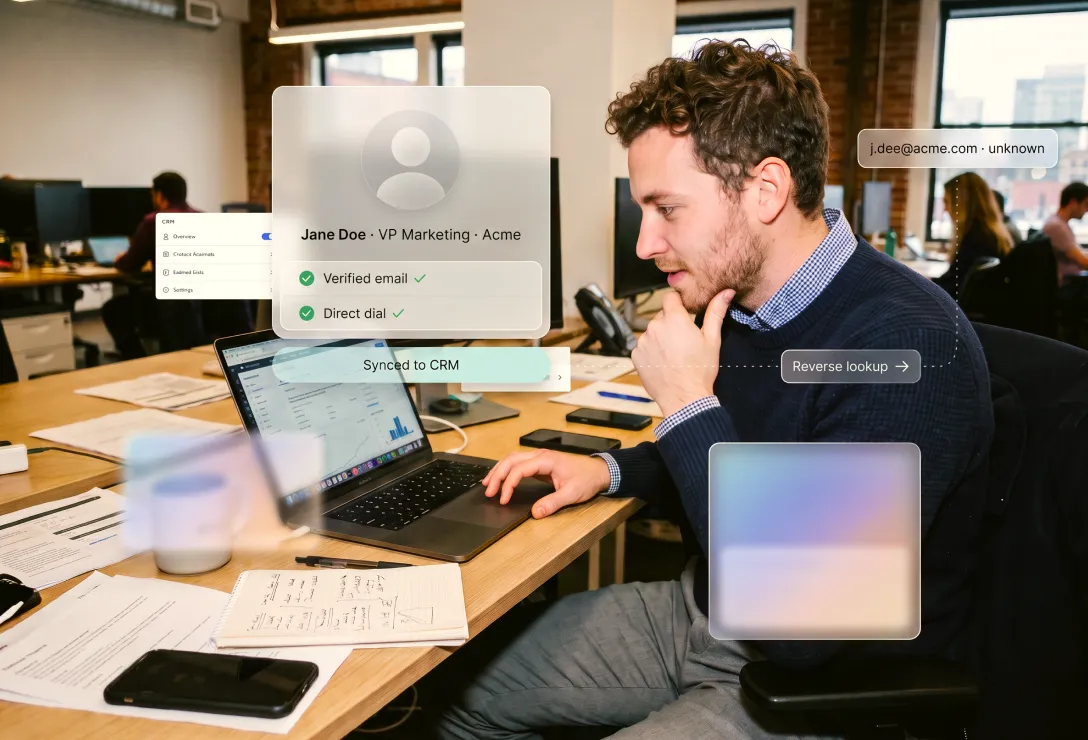
Reverse email lookup takes an email address and gives back the person and company behind it: name, title, company, and verified contact details. It turns an address you can't do much with into a contact you can qualify, route, and reach, so the data you already have starts generating pipeline instead of going to waste.
Reverse email lookup is the process of starting with an email address and resolving it to the professional identity behind it: the person's name, job title and seniority, their company and its firmographics, and often a verified work email and phone. It is the inverse of an email finder: an email finder starts with a person and returns their address, while reverse email lookup starts with an address and returns the person and company.
In B2B, the job is not to identify a stranger. It is to complete the picture on a business contact you already have a reason to reach, whether that is one email in front of a rep or a list of them in front of Marketing.
The most common moment is the simplest: you have a work email and need to know who it belongs to. A reply from an address you don't recognise, a demo request, a contact you found while mapping an account. Reverse email lookup matches that email to the person and company behind it, so an anonymous line becomes a named, reachable contact, complete with title, seniority, and a verified phone.
For a BDR or AE, that is the difference between guessing and knowing who you are about to call. Rather than piecing it together across multiple tabs, you resolve the address with Surfe's waterfall enrichment tool and the completed contact syncs to your CRM. It is the fastest way to match an email to a LinkedIn™ profile and turn a stray address into a contact you can qualify.
Marketing has the same problem at scale. Inbound arrives as a pile of email addresses: a webinar export, ad and content form fills, trial signups, a newsletter list. Reverse email lookup enriches the whole list on arrival, turning raw emails into named, titled, routable contacts before they ever reach a rep.
That completeness unlocks a set of benefits:
The payoff shows up in the numbers. JuicyScore, a Surfe customer, saw open rates nearly double, from around 15% to 35% after enriching its CRM with verified professional emails, because messages finally reached real, current inboxes.
Not every gap is new. Most CRMs carry a long tail of half-finished records: an email with no company, a contact with no title, a lead nobody could route. Run reverse email lookup across them in bulk and each one fills in. Find the company from an email, attach the firmographics and title, and the record can finally be scored, tiered, and assigned by the rules you already run.
Keeping it clean is the harder half. People change jobs, and a record that was right last quarter quietly goes stale. Pairing it with job-change monitoring closes that loop, so routing and scoring keep working on data that is still true. The same enriched, verified records are also the raw material for net-new outbound and ABM: with complete data to work from, you can build target lists that reach past the people who happened to fill in a form. It is the foundation of the CRM data quality RevOps is measured on.
It sharpens a good motion; it does not create one. If your inbound already arrives fully enriched at the form, it is not your bottleneck. If your problem is volume rather than lead quality, enrichment will not manufacture demand. And it does nothing to fix targeting: resolve a flood of out-of-ICP signups and all you have is a clearer view of how off-ICP they are. Fix the audience first, then enrich it, whether that means tightening your ICP or building lookalike accounts from your best customers.
Accuracy comes down to coverage and verification. A single database resolves the easy addresses and misses the rest; an enrichment waterfall across many sources works down the list until one returns a match, then triple-verifies it against multiple sources before it reaches your CRM. Surfe's own find rate sits at 93% across its 15+ sources, but the number that matters is how well it resolves your list: run it on a sample of your own data and see how many come back complete.
In practice, the best setups barely feel like a lookup at all. You connect your CRM, and every new record is enriched the moment it lands, matched, verified, and completed automatically. Run a bulk file the same way, wire it into your stack through an API for continuous enrichment, or resolve a single address ad hoc.
An email address is a start, not a lead. Reverse email lookup is what turns it into the rest: it reveals who is behind the address, completes the record, and hands your team a contact they can qualify, route, and reach. Run it across every inbound list and every half-finished record and the data you already own quietly becomes pipeline, the leads you earned finally worth working.
What is reverse email lookup? Reverse email lookup starts with an email address and returns the person and company behind it: name, title, seniority, firmographics, and often a verified phone. It is the inverse of an email finder.
How does reverse email lookup work in B2B? Connect your CRM and records are enriched on arrival, or run a bulk list or API job. Each address is matched to professional data sources, verified across a waterfall, and returned as a complete contact synced to your CRM.
How do I find the company behind an email address? Reverse email lookup resolves the email to its owner and their employer, attaching the company and firmographics. Run it across your CRM to complete partial records in bulk, so leads can be scored, routed, and tiered.
Can reverse email lookup match an email to a professional profile? Yes. It matches a work email to the professional profile and the account behind it, so an unknown inbound email becomes a named, reachable contact you can qualify and enrich.
Is reverse email lookup accurate? It depends on coverage and verification. A multi-source, verified waterfall resolves more addresses than a single database and confirms each match. Surfe's find rate is 93% across 15+ sources; test it on your own data to see the resolve rate.
Is reverse email lookup GDPR compliant? Used for legitimate B2B outreach to a business contact who engaged with you, with a lawful basis and GDPR and CAN-SPAM in mind, yes. Surfe is GDPR compliant and ISO 27001 certified.
What is the difference between reverse email lookup and an email finder? An email finder starts with a person and returns their address. Reverse email lookup starts with an address and returns the person and company.
How do I run reverse email lookup in bulk? Enrich a whole list in one pass, or wire it into your forms and CRM through an API so every new record is resolved, verified, and synced automatically. Because the waterfall pulls from many sources, coverage holds across regions and seniority.
Trelise Mansfield has built and led B2B SaaS marketing teams in New York, London, and Paris. Her range runs from the brand that finds its voice to the campaign that lands to the pipeline number that finally moves. The marketing she rates most is the marketing sales asks for by name. Born in New Zealand. Based in Paris.
Your most pressing questions, answered with clarity.
%201%20(1)%20(1).avif)